

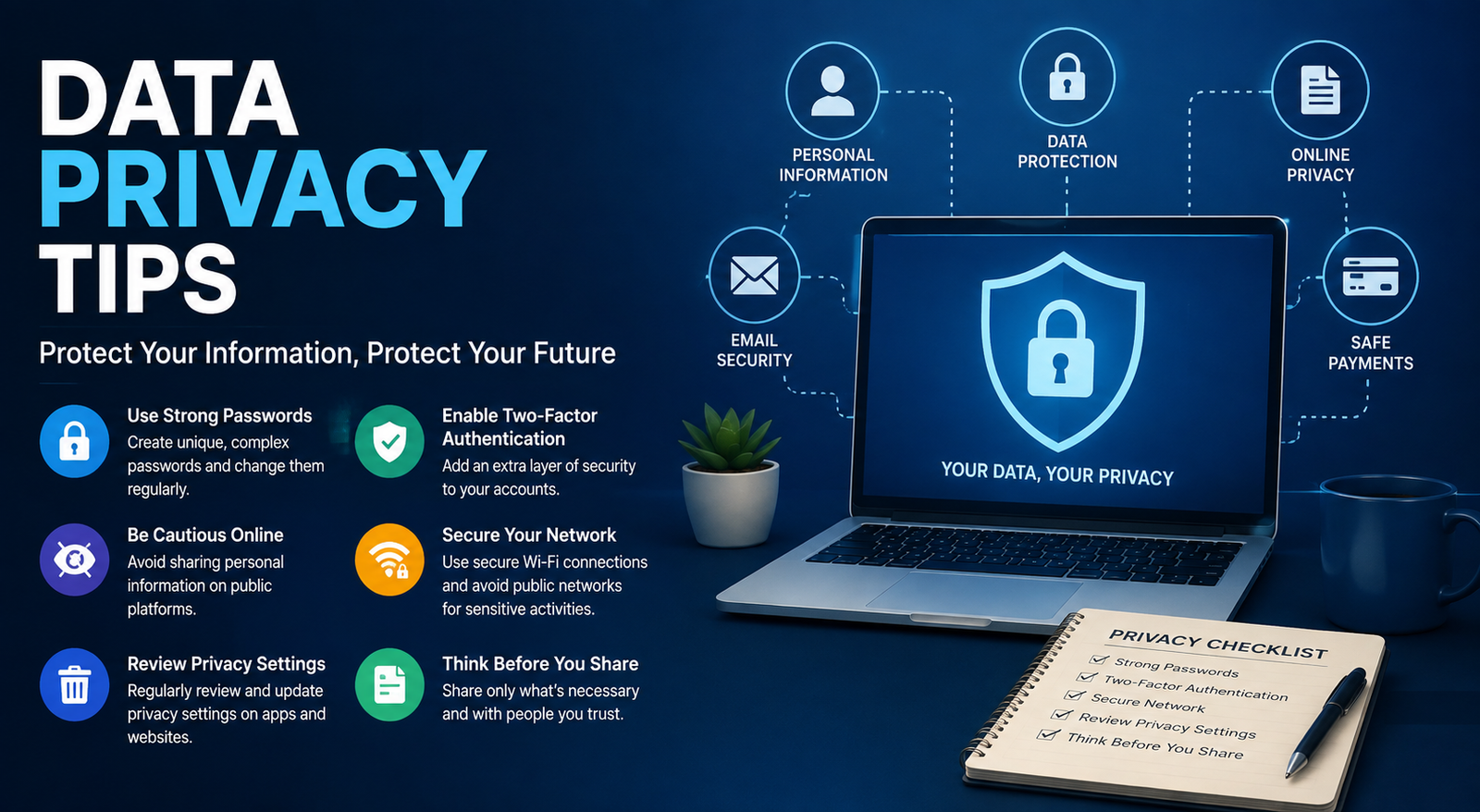
In today's connected world, protecting your personal information is more important than ever. Every time you browse the web, use a mobile app, shop online, or post on social media, you leave behind digital footprints that companies, advertisers, and cybercriminals may attempt to collect or exploit. Following practical data privacy tips can help you reduce these risks and maintain greater control over your personal information.
Whether you're wondering how to protect personal information online, searching for 10 ways to protect your personal data, or looking for updated privacy best practices beyond data privacy tips 2022, this guide provides actionable advice you can implement immediately. It also covers smartphone security, workplace privacy, and modern threats such as AI-driven scams and identity theft.
What Is Data Privacy?
Data privacy refers to the way personal information is collected, stored, shared, and protected. It gives individuals control over who can access their data and how it is used.
Personal data includes:
Full name
Email address
Phone number
Home address
Banking information
Login credentials
Medical records
Location history
Photos and videos
Government-issued identification
Although people often confuse privacy with cybersecurity, they are different concepts. Cybersecurity focuses on protecting devices, networks, and systems from attacks, while data privacy focuses on ensuring that personal information is collected and used responsibly.
Data Privacy Principles Are Built on Trust
The core data privacy principles are transparency, consent, purpose limitation, data minimization, accuracy, security, and accountability. Organizations that follow these principles collect only the information they need, protect it with appropriate safeguards, and clearly explain how it will be used.
For individuals, understanding these principles makes it easier to recognize trustworthy websites and avoid services that request unnecessary personal information.
Why Data Privacy Is More Important Than Ever
Modern technology has made life more convenient, but it has also increased privacy risks. Cybercriminals constantly search for weak passwords, outdated software, and unsecured devices to steal personal information.
Some of the biggest consequences of poor privacy practices include:
Identity theft
Financial fraud
Account takeovers
Online scams
Reputation damage
Loss of sensitive business information
Artificial intelligence has also changed the threat landscape. Attackers can now create convincing phishing emails, fake customer support messages, and realistic voice impersonations. This makes it even more important to verify communications before sharing confidential information.
Protecting your privacy isn't about hiding something—it is about maintaining control over your digital identity.
Data Privacy vs. Cybersecurity
Both work together. Strong cybersecurity supports better privacy, while good privacy practices reduce the amount of valuable data attackers can steal.
18 Data Privacy Tips Everyone Should Follow
Use Strong and Unique Passwords
One of the simplest yet most effective data privacy tips is creating strong passwords for every account. Password reuse remains one of the leading causes of account compromise.
A secure password should:
Be at least 16 characters long
Include a mix of uppercase and lowercase letters
Contain numbers and symbols
Avoid personal information such as birthdays or names
Using a password manager allows you to generate and store complex passwords securely, eliminating the need to remember dozens of unique combinations.
Enable Multi-Factor Authentication (MFA)
Passwords alone are no longer enough. Multi-factor authentication adds an extra layer of security by requiring a second verification step, such as an authentication app or security key.
Even if a cybercriminal steals your password, MFA makes unauthorized access significantly more difficult.
Whenever possible, choose authentication apps over SMS verification because text messages can sometimes be intercepted through SIM-swapping attacks.
Keep Software and Devices Updated
Outdated software often contains known security vulnerabilities that attackers actively exploit.
Enable automatic updates for:
Operating systems
Mobile devices
Web browsers
Antivirus software
Productivity applications
Smart home devices
Regular updates not only improve performance but also close security gaps before attackers can take advantage of them.
Review App Permissions Regularly
Many apps request access to information they don't actually need.
Take a few minutes every month to review permissions for:
Camera
Microphone
Contacts
Photos
Calendar
Location services
If an app requests excessive permissions without a clear purpose, consider removing it or limiting its access.
Limit What You Share on Social Media
Oversharing personal details makes it easier for scammers to impersonate you or guess security questions.
Avoid publicly sharing:
Travel plans
Home address
Phone number
Financial details
Daily routines
Children's personal information
Adjust your privacy settings so only trusted contacts can view your posts.
Browse Only Secure Websites
Before entering sensitive information, verify that the website uses HTTPS encryption.
Look for:
HTTPS in the address bar
A valid security certificate
Correct website spelling
Trusted payment gateways
Avoid entering passwords or payment details on websites that display browser security warnings.
Watch Out for Phishing Attacks
Phishing remains one of the most common methods used to steal personal information.
Common warning signs include:
Urgent requests for immediate action
Unexpected invoices
Suspicious attachments
Misspelled domain names
Requests to verify account information
Modern phishing campaigns increasingly use AI-generated emails that appear highly convincing. Always verify unexpected requests through official channels before responding.
Avoid Public Wi-Fi Without Protection
Public Wi-Fi networks in airports, hotels, cafés, and shopping centers can expose your internet traffic to attackers if they're unsecured.
When using public networks:
Avoid online banking
Don't access sensitive work documents
Use a trusted VPN when appropriate
Prefer your mobile hotspot for confidential tasks
These habits greatly reduce the risk of intercepted data while traveling.
Encrypt Your Devices
Encryption protects the information stored on your devices if they are lost or stolen.
Most modern operating systems include built-in encryption features for:
Windows laptops
macOS computers
Android phones
iPhones and iPads
Enable device encryption alongside a strong PIN, password, or biometric authentication to make unauthorized access far more difficult.
Protect Your Cloud Storage
Cloud storage services make it easy to access files from anywhere, but they can also expose sensitive information if not configured properly.
To improve cloud privacy:
Enable multi-factor authentication on your cloud account.
Review file-sharing permissions regularly.
Remove public sharing links you no longer use.
Encrypt sensitive documents before uploading them.
Back up important files to another secure location.
Whether you use cloud storage for personal documents or protecting personal information in the workplace, reviewing permissions regularly can prevent accidental data exposure.
Clear Cookies and Browser Data Regularly
Websites use cookies to remember your preferences, but many also track your online behavior for advertising purposes.
Regularly clearing cookies, browser history, and cached files can reduce unwanted tracking. Most modern browsers also allow you to block third-party cookies and disable cross-site tracking for better privacy.
If you're researching data privacy tips Reddit discussions, you'll notice many experienced users also recommend privacy-focused browser settings to reduce digital tracking.
Use Privacy-Focused Browsers
Some web browsers include built-in tracker blocking, stronger cookie controls, and enhanced privacy settings.
When choosing a browser, look for features such as:
Tracker blocking
Third-party cookie protection
Private browsing mode
DNS-over-HTTPS support
Automatic HTTPS upgrades
No browser guarantees complete anonymity, but privacy-focused options significantly reduce the amount of data collected during everyday browsing.
Monitor Your Accounts for Data Breaches
Data breaches occur regularly, even at large organizations. If your email address or password is exposed, cybercriminals may attempt to access your accounts.
Good habits include:
Changing compromised passwords immediately
Using unique passwords for every account
Enabling login notifications
Reviewing account activity regularly
Early detection helps prevent identity theft and financial fraud.
Secure Your Smart Home Devices
Internet-connected devices such as smart speakers, security cameras, TVs, and thermostats collect more information than many people realize.
Protect these devices by:
Changing default passwords
Installing firmware updates
Disabling unnecessary features
Using a secure home Wi-Fi network
Disconnecting devices you no longer use
Every connected device represents another potential entry point for attackers.
Understand AI and Data Collection
Artificial intelligence tools have become part of daily life, but they often process user prompts and uploaded files.
Before sharing information with AI platforms:
Avoid entering confidential business data.
Never upload sensitive financial documents.
Remove personal identifiers whenever possible.
Review privacy settings and data retention policies.
Responsible AI use is now an important part of modern data privacy tips.
Perform a Monthly Privacy Checkup
Privacy isn't something you set once and forget.
Every month:
Review passwords.
Check app permissions.
Update software.
Remove unused accounts.
Scan devices for malware.
Review banking activity.
Check social media privacy settings.
Back up important files.
Small monthly habits provide long-term protection.
Common Online Privacy Threats
Understanding modern threats helps you recognize suspicious activity before it causes damage.
Some of the most common risks include:
Phishing emails
Identity theft
Malware
Spyware
Ransomware
Fake websites
Browser fingerprinting
Credential stuffing attacks
Data brokers collecting personal information
Social engineering scams
Awareness is often your first line of defense.
Data Privacy Tips for Different Users
Students
Students frequently use public Wi-Fi, shared computers, and online learning platforms.
Best practices include:
Enable MFA on school accounts.
Avoid downloading unknown files.
Store assignments securely.
Never share login credentials.
Remote Workers
Remote employees often access sensitive company information outside traditional office environments.
To improve protecting personal information in the workplace:
Use company-approved VPNs.
Lock devices when unattended.
Separate personal and work accounts.
Avoid public Wi-Fi for confidential work.
Keep business software updated.
Online Shoppers
Shopping online is convenient but requires caution.
Before making purchases:
Verify website security.
Use trusted payment methods.
Avoid saving card details unnecessarily.
Monitor bank statements regularly.
Parents
Parents should:
Teach children about online privacy.
Enable parental controls.
Monitor app permissions.
Limit personal information shared online.
Small Business Owners
Businesses should:
Train employees regularly.
Encrypt customer data.
Restrict access to sensitive files.
Maintain regular backups.
Create an incident response plan.
Privacy Tools Comparison
Common Data Privacy Mistakes to Avoid
Even security-conscious users make mistakes.
Avoid these common habits:
Reusing passwords
Clicking unknown email links
Ignoring software updates
Downloading apps from unofficial sources
Sharing excessive personal information
Leaving Bluetooth enabled unnecessarily
Connecting to unsecured public Wi-Fi
Using weak security questions
Forgetting to log out of shared computers
Many people searching for how to protect personal information online discover that avoiding these simple mistakes dramatically improves overall security.
Expert Tips for Better Privacy
If you're looking for 10 ways to protect your personal data, start with these high-impact actions:
Use unique passwords.
Enable MFA everywhere.
Update devices promptly.
Review app permissions monthly.
Limit social media sharing.
Encrypt your devices.
Back up important files.
Avoid suspicious links.
Use secure Wi-Fi connections.
Monitor accounts for unusual activity.
These practices also complement advice often given in articles about 10 ways to protect your computer from hackers because protecting your device and protecting your data go hand in hand.
Conclusion
Protecting your digital life doesn't require advanced technical knowledge. Consistently following these data privacy tips can dramatically reduce your risk of identity theft, phishing attacks, financial fraud, and unauthorized tracking.
Privacy is an ongoing process rather than a one-time task. By using strong passwords, enabling multi-factor authentication, reviewing privacy settings, keeping devices updated, and staying alert to new threats, you can take meaningful control of your personal information. Whether you're protecting your family, your workplace data, or your online accounts, small security habits today can prevent major problems tomorrow.
Frequently Asked Questions
What are the best data privacy tips?
The most effective data privacy tips include using strong passwords, enabling multi-factor authentication, updating software, reviewing app permissions, limiting social media sharing, encrypting devices, and monitoring accounts for suspicious activity.
How can I protect my personal information online?
To protect personal information online, use unique passwords, browse secure HTTPS websites, avoid phishing scams, enable MFA, limit the information you share publicly, and regularly review your privacy settings.
Why is data privacy important?
Data privacy helps prevent identity theft, financial fraud, unauthorized tracking, and misuse of personal information. It also gives individuals greater control over how their information is collected and shared.
What is the difference between data privacy and cybersecurity?
Data privacy focuses on how personal information is collected, stored, and used, while cybersecurity focuses on protecting systems, networks, and devices from cyberattacks.
How often should I review my privacy settings?
A monthly review is recommended. Check app permissions, passwords, social media settings, and account security notifications to keep your personal information protected.
How to prevent being hacked on your phone?
If you're wondering how to prevent being hacked on your phone, keep your operating system updated, install apps only from official stores, enable biometric authentication, avoid suspicious links, and review app permissions regularly.
Leave a Reply