

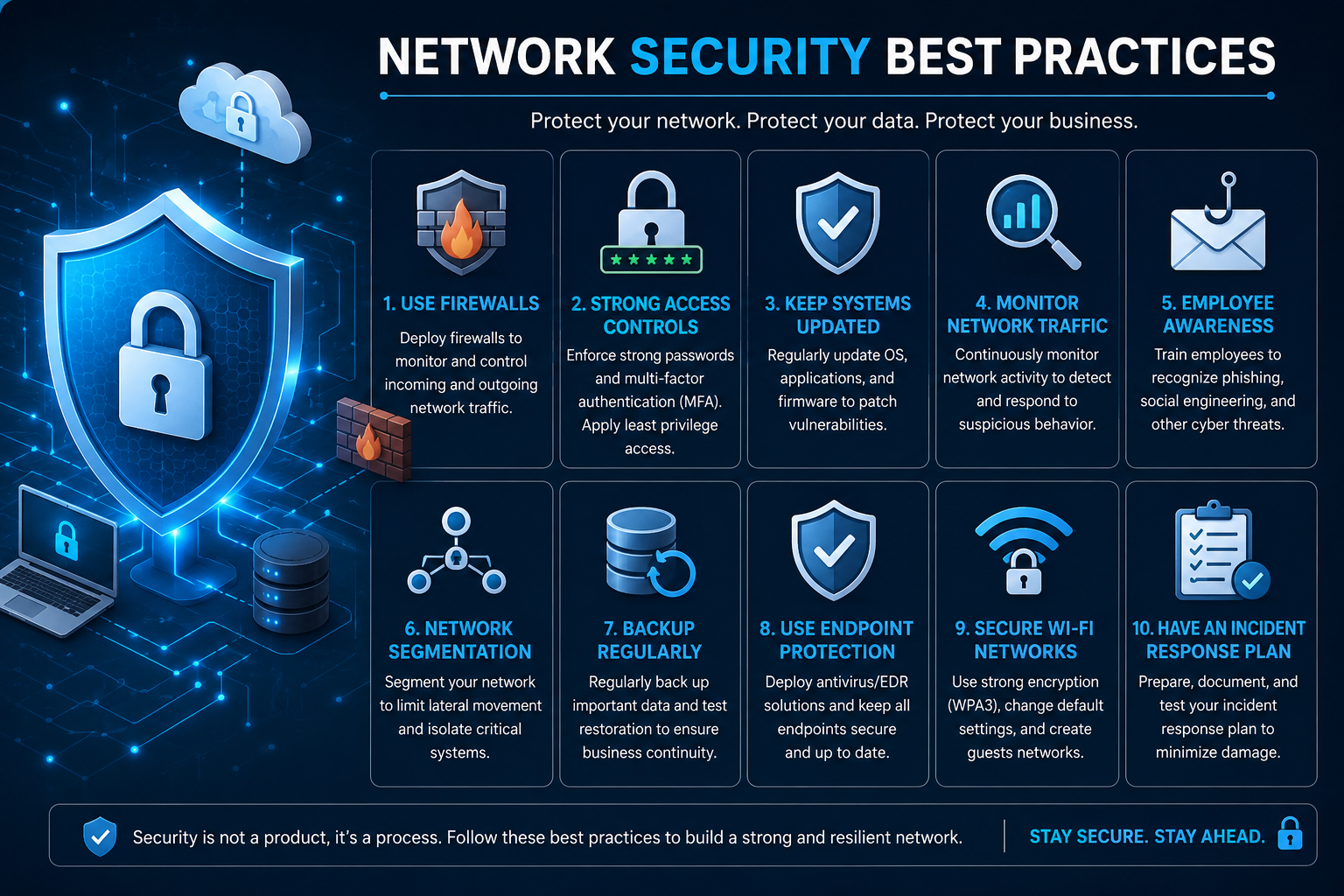
A secure network is no longer protected by a firewall alone. Businesses now rely on cloud applications, remote access, wireless devices, IoT systems, SaaS platforms, and third-party connections, giving attackers more opportunities to gain access. Effective network security best practices therefore require multiple layers of protection that work together.
A strong strategy starts with knowing what is connected to your network, controlling who can access it, segmenting sensitive systems, keeping devices updated, monitoring traffic, and preparing for incidents. These practices also support broader cyber security best practices for protecting data, users, applications, and infrastructure.
This guide explains 15 practical network security measures, shows which controls should be prioritized, and provides examples for both small businesses and larger organizations.
What Is Network Security?
Network security is the combination of technologies, policies, processes, and controls used to protect networks, connected devices, systems, and data from unauthorized access, misuse, disruption, or attack.
Common network security controls include firewalls, network segmentation, access controls, encryption, secure Wi-Fi, intrusion detection, endpoint protection, vulnerability management, and continuous monitoring.
Network security is one part of the broader cybersecurity picture. Cybersecurity also includes application security, data protection, identity security, cloud security, incident response, and other defensive areas.
Why Network Security Matters
A compromised workstation can become a starting point for a much larger attack. If an organization has a flat network, an attacker who gains access to one device may be able to move toward file servers, databases, administrative systems, or other sensitive resources.
Effective network security reduces this risk by limiting unnecessary access and creating multiple defensive layers. The goal is not to make attacks impossible but to make unauthorized access harder, detect suspicious behavior sooner, and limit the damage when something goes wrong.
For example, if an employee's laptop is compromised through phishing, network segmentation can prevent that device from directly communicating with critical servers. MFA can make stolen credentials less useful, while monitoring can help security teams identify unusual activity.
15 Network Security Best Practices
1. Create and Maintain an Asset Inventory
You cannot properly protect devices you do not know exist. Maintain an inventory of routers, switches, firewalls, servers, laptops, mobile devices, cloud assets, virtual machines, and IoT equipment.
CIS Control 1 recommends actively managing enterprise assets across physical, virtual, remote, cloud, and IoT environments.
At minimum, record the device owner, location, operating system or firmware, business purpose, and security status. Regularly compare the inventory against actual network activity to identify unauthorized or unmanaged devices.
2. Segment Your Network
Network segmentation separates systems into security zones so that access between them can be controlled.
For example, a business could use separate zones for employees, servers, guests, administrators, and IoT devices. If an attacker compromises a guest laptop, properly configured segmentation can prevent direct access to internal systems.
A simple architecture might look like:
Internet → Firewall → Internal Network → Employee / Server / Guest / IoT Zones
For larger environments, microsegmentation can provide even more granular controls. CIS recommends secure network architecture that addresses segmentation, least privilege, and availability.
3. Use Strong Identity and Access Controls
Network security increasingly depends on identity. Every user should have only the access necessary to perform their job.
Apply least privilege to regular and administrative accounts, remove unnecessary permissions, and separate administrator accounts from everyday accounts.
Centralized authentication and authorization can also make access easier to manage and audit across a growing environment.
4. Enable Multi-Factor Authentication
Passwords alone are not enough for important systems.
Enable MFA for administrator accounts, VPNs, cloud management consoles, email, and other sensitive services. Even if an attacker obtains a password through phishing or credential theft, the additional authentication requirement can prevent unauthorized access.
MFA should be one of the first controls organizations implement because it can provide significant protection without requiring a complete network redesign.
5. Keep Network Devices and Software Updated
Outdated routers, switches, firewalls, VPN appliances, operating systems, and firmware can contain known vulnerabilities.
Maintain a documented patching process:
Identify → Test → Update → Verify → Document
CIS Control 12 recommends keeping network infrastructure up to date and reviewing software versions regularly.
Prioritize internet-facing and business-critical devices because compromising them can provide attackers with valuable access.
6. Harden Network Devices
Secure configurations are just as important as software updates.
Change default credentials, disable unnecessary services, restrict management interfaces, remove obsolete protocols, close unnecessary ports, and use secure management protocols.
Avoid exposing administrative interfaces directly to the public internet whenever possible. Administrative access should be restricted to authorized personnel and trusted management paths.
7. Configure and Review Firewalls
A firewall controls traffic between networks according to defined security policies. However, simply having a firewall does not guarantee a secure network.
Review firewall rules regularly and remove obsolete or unnecessarily broad permissions. Use the principle of least privilege so that traffic is allowed because it is required, not simply because it is convenient.
Also consider outbound traffic. Preventing unauthorized connections from internal systems can help identify or contain malware and compromised devices.
8. Secure Wi-Fi Networks
Wireless networks need the same security attention as wired infrastructure.
Use strong authentication and modern encryption, change default administrative credentials, update access points, and separate guest traffic from internal systems.
A practical design might place:
Employees on the corporate network
Visitors on an isolated guest network
Smart devices on an IoT network
This prevents an untrusted device from automatically becoming a trusted participant in the internal environment.
9. Encrypt Network Traffic
Encryption protects information while it moves between systems.
Use HTTPS and TLS for web communications and secure protocols for administrative activity. Organizations with remote workers may also use VPN or Zero Trust Network Access solutions where appropriate.
Encryption does not replace access control or endpoint security, but it adds another layer of protection against interception and unauthorized disclosure.
10. Secure Remote Access
Remote workers, contractors, and third parties can expand the attack surface.
Protect remote access with MFA, managed devices, strong authentication, least privilege, and appropriate monitoring. VPNs can provide secure connectivity, but a VPN should not be treated as a complete security strategy.
For modern environments, Zero Trust approaches can provide more granular access based on identity, device status, resource sensitivity, and context.
CIS also recommends enterprise-managed VPN and authentication infrastructure for remote devices accessing enterprise resources.
11. Monitor Network Traffic and Security Logs
Prevention is only one part of network defense. Organizations also need visibility into what is happening across their infrastructure.
Monitor firewall events, authentication activity, network traffic, DNS activity, IDS/IPS alerts, and other relevant security logs.
CIS Control 13 calls for comprehensive network monitoring and defense across enterprise network infrastructure and users.
For example, repeated failed logins, unexpected outbound connections, or unusual communication between internal systems could indicate suspicious activity that deserves investigation.
12. Protect Endpoints and IoT Devices
Every laptop, phone, server, printer, camera, and smart device connected to a network can introduce risk.
Use endpoint security, keep devices patched, restrict unnecessary applications, and isolate IoT equipment where appropriate.
IoT devices deserve special attention because some have limited security features and may remain in service for years. Keeping them on an isolated network can reduce their ability to affect critical systems.
13. Back Up Critical Systems and Test Recovery
Backups are essential when dealing with ransomware, destructive attacks, hardware failures, or accidental deletion.
Maintain reliable backups and consider keeping copies isolated from production systems. More importantly, test whether those backups can actually restore critical information.
CIS identifies data recovery as a dedicated control and recommends practices capable of restoring assets to a trusted state after an incident.
A backup that has never been successfully restored should not be assumed to work when an emergency occurs.
14. Train Employees to Recognize Threats
Employees are part of the security boundary.
Regular awareness training should cover phishing, suspicious attachments, credential protection, social engineering, safe remote access, and incident reporting.
A good security culture encourages employees to report suspicious activity quickly rather than hiding mistakes. Early reporting can give security teams more time to contain an incident.
CIS includes security awareness and skills training as a dedicated control for reducing cybersecurity risk.
15. Create and Test an Incident Response Plan
No organization should rely entirely on prevention.
An incident response plan should define what happens when suspicious activity or a confirmed compromise occurs:
Detect → Confirm → Contain → Investigate → Recover → Improve
For example, if ransomware is detected on an employee workstation, the organization may isolate the device, investigate related accounts and systems, preserve evidence, restore clean systems, and review how the initial compromise occurred.
CIS Control 17 specifically addresses incident response capabilities, including policies, procedures, roles, training, and communications.
Advanced Network Security Best Practices
Organizations with mature security programs can add more advanced controls.
Zero Trust
Zero Trust challenges the assumption that users or devices should automatically be trusted because they are inside a corporate network.
Instead, access is continuously evaluated based on factors such as identity, device condition, resource sensitivity, and authorization.
Microsegmentation
Traditional segmentation divides a network into larger zones. Microsegmentation creates smaller security boundaries around workloads, applications, or sensitive resources.
This can reduce lateral movement when an attacker compromises one system.
Centralized Security Monitoring
Larger organizations may combine SIEM, NDR, IDS/IPS, endpoint detection, and threat intelligence to create broader visibility.
These technologies can help security teams correlate events and identify patterns that individual systems might miss.
Network Access Control
NAC can evaluate devices before allowing them onto protected network resources. Unknown, unmanaged, or non-compliant devices can be restricted rather than receiving normal access.
Network Security for Small Businesses vs. Enterprises
Not every organization needs an enterprise-level security stack.
The best approach is to prioritize controls according to risk, available resources, regulatory requirements, and the sensitivity of the organization's systems.
Network Security Tools and Technologies
Different technologies solve different security problems.
Rather than buying every available tool, organizations should identify their biggest risks first and select technologies that address those risks.
Network Security Frameworks and Standards
Frameworks can help organizations structure and prioritize their security programs.
The NIST Cybersecurity Framework 2.0 provides a flexible way for organizations of different sizes and maturity levels to understand, assess, prioritize, and communicate cybersecurity risk.
The CIS Controls v8.1 provides a prioritized and prescriptive collection of safeguards designed to strengthen cybersecurity defenses. Its current version includes updated alignment with NIST CSF 2.0 and places additional emphasis on governance.
Organizations may also need standards such as ISO/IEC 27001 or PCI DSS depending on their industry, data, contractual obligations, and regulatory environment.
Common Network Security Mistakes to Avoid
Even organizations with security tools can make basic mistakes.
Common problems include:
Using default passwords
Running outdated firmware
Creating overly broad firewall rules
Keeping a flat network
Ignoring IoT devices
Giving users excessive privileges
Failing to use MFA
Exposing management interfaces
Neglecting network monitoring
Assuming a VPN provides complete protection
Keeping backups connected directly to production
Never testing incident response procedures
Regular reviews can uncover these weaknesses before attackers do.
Network Security Audit Checklist
Use this quick checklist to identify areas that deserve attention:
All network assets are inventoried
Network architecture is documented
Critical systems are segmented
Guest Wi-Fi is isolated
IoT devices are appropriately restricted
MFA protects sensitive accounts
Firewall rules are reviewed
Network devices are patched
Unnecessary services are disabled
Remote access is secured
Security logs are monitored
Endpoints are protected
Critical data is backed up
Recovery procedures are tested
Employees receive security training
Incident response procedures are documented
How to Implement Network Security Best Practices
Do not try to implement every control at once. A practical improvement program can follow this sequence:
1. Discover: Inventory devices, users, applications, and connections.
2. Assess: Identify vulnerabilities, unnecessary access, exposed services, and high-value systems.
3. Prioritize: Address the highest-risk weaknesses first.
4. Segment: Separate critical systems, users, guests, and untrusted devices.
5. Harden: Secure network devices and remove unnecessary services.
6. Control access: Implement MFA and least privilege.
7. Monitor: Establish visibility into important network and security events.
8. Prepare: Document incident response and recovery procedures.
9. Test: Validate controls through appropriate assessments and security testing.
10. Improve: Reassess the environment whenever technology, threats, or business requirements change.
This continuous approach aligns well with NIST CSF 2.0's risk-management philosophy and the CIS emphasis on maintaining and actively managing network infrastructure.
Conclusion
Strong network security is not created by a single product. It comes from multiple controls working together: visibility, secure configurations, identity protection, segmentation, monitoring, detection, recovery, and continuous improvement.
For most organizations, the best place to start is simple: know what is connected, protect privileged access with MFA, patch exposed systems, review firewall rules, separate critical resources, monitor important activity, and maintain tested backups.
These network security best practices can also form the foundation of a broader cybersecurity program. By prioritizing controls according to actual risk instead of simply collecting security tools, organizations can build defenses that are more practical, measurable, and resilient.
Frequently Asked Questions
What are the best network security practices?
The most important practices include asset inventory, network segmentation, MFA, least privilege, firewall management, patching, secure remote access, encryption, monitoring, endpoint protection, backups, employee training, and incident response.
What are the 5 basic network security practices?
A strong starting point is to inventory your assets, enable MFA, patch systems, configure firewalls properly, and segment sensitive systems from untrusted devices.
How can I improve my network security?
Start with visibility and access control. Inventory your devices, remove unnecessary exposure, enable MFA, patch network infrastructure, review firewall rules, segment critical systems, and establish security monitoring.
Is a firewall enough for network security?
No. A firewall is an important layer, but effective network security also requires identity controls, segmentation, patching, endpoint protection, monitoring, encryption, backups, and incident response.
Why is network segmentation important?
Segmentation limits unnecessary communication between systems. If one device is compromised, segmentation can reduce the attacker's ability to move laterally toward more sensitive resources.
What are the most important network security tools?
Core technologies include firewalls, IDS/IPS, endpoint detection, vulnerability scanners, SIEM, secure remote access, NAC, and network detection and response. The right combination depends on organizational risk and requirements.
How often should network security be reviewed?
Security should be monitored continuously, while formal reviews should occur regularly and whenever major infrastructure, applications, users, or business requirements change. CIS, for example, calls for regular network infrastructure and architecture management rather than a one-time configuration.
Leave a Reply